
New reports and early leaks suggest that Android 17, the next major update from Google, could bring a significant visual overhaul to the notifications shade and quick settings panel. According to industry sources, Android 17 may adopt a split layout design, rethinking how users interact with alerts and system toggles on their devices. These potential changes aim to improve usability and modernize the look and feel of Android’s core interface.
Leaked information indicates that Android 17 may introduce a redesigned notifications and quick settings experience with a split layout. This proposed update could change how notifications, shortcuts, and controls are arranged for the first time in several Android generations, offering a fresh approach to system interaction.
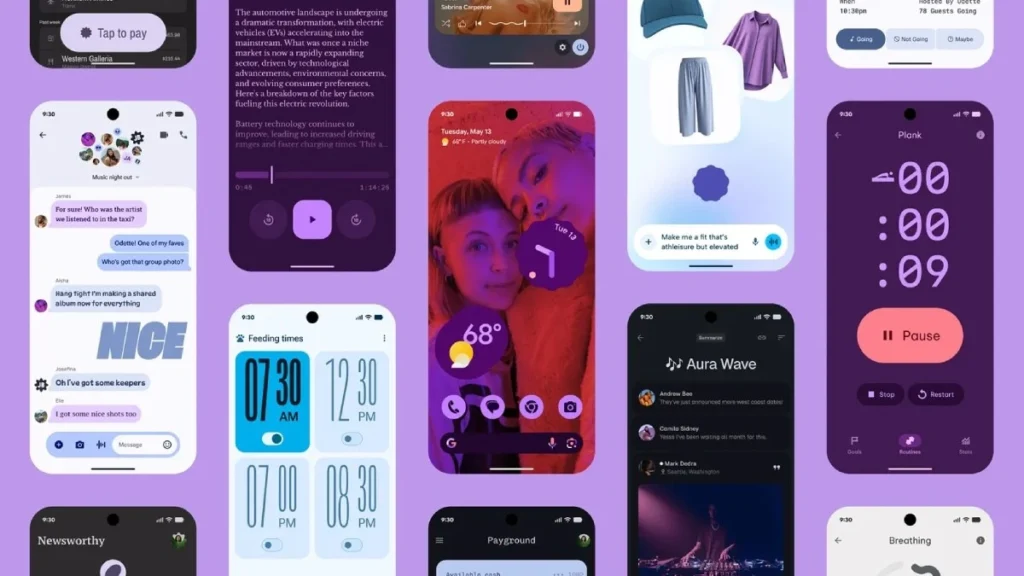
What the Leak Claims
According to recent insider reports and early UI previews shared online, Android 17 may replace the traditional stacked notification panel with a more structured layout that separates notifications from quick settings controls more distinctly. The split layout design is said to divide the screen into two primary sections:
- A top area dedicated to quick-setting tiles,
- A lower area for notifications and alert cards.
This change is expected to offer clearer visual separation between notifications and system controls, enabling faster access to frequently used settings while keeping alerts organized. -setting
How the Split Layout Might Work
While precise design details are still emerging, the proposed split layout could resemble the following:
Quick Settings Zone:
The upper portion of the panel may host a grid of frequently used toggles such as Wi-Fi, Bluetooth, a brightness-organized slider, and more. With a distinct space, users might see all important controls at a glance without scrolling.
Notification Zone:
The lower portion of the panel may be dedicated to notifications, grouped by app or urgency. This could make it easier to scan through alerts without accidentally triggering system toggles.
Some mockups and concept renders shared by developers hint at improved animations and smoother transitions between zones, aiming to enhance both aesthetics and user experience.
Why This Redesign Matters
If Android 17 adopts a split layout for notifications and quick settings, it would be one of the most notable interface changes in recent Android history. The redesigned panel could offer several advantages:
- Improved Clarity: Separating quick settings and notifications could reduce clutter and make essential controls easier to find.
- Faster Access: Users might reach common toggles without needing to swipe multiple times.
- Consistent Experience: A structured layout could feel more predictable and easier for newcomers to navigate.
This shift may reflect Google’s effort to refine Android’s interface as competition from other platforms prioritizes intuitive system controls.
What Else Could Change in Android 17
Beyond the notifications and quick settings redesign, Android 17 is rumored to prioritize bringing:
- Refinements in privacy and permissions controls, making sensitive features more transparent.
- Improved AI and assistant integrations, offering context-aware suggestions.
- Battery and performance optimizations for extended daily usage.
- Enhanced multitasking and split-screen support, helping with productivity on large displays.
Official details remain limited until Google publicly teases or beta-releases Android 17.
Expected Timeline
Google typically unveils its next Android version at its annual developer conference, with beta releases rolling out months ahead of the stable launch. Based on past patterns, Android 17 previews could begin in mid-2026, with a stable release expected later in the year.
Why This Leak Matters
Understanding changes to core UI elements like notifications and quick settings is important because these are features users interact with constantly. A redesigned layout could influence how users perform daily tasks, access settings, and manage notifications. Early insights also help developers adapt apps and design interfaces that feel native in the updated OS.
For buyers and Android enthusiasts, knowing what might change ahead of the official launch helps set expectations and compare with alternatives, including custom skins from manufacturers like Samsung, Xiaomi, and others.
Frequently Asked Questions
Will Android 17’s split layout be optional?
Leaks do not yet indicate whether the new layout will be optional or mandatory, but Android customization flexibility suggests users may have toggle options.
Does this redesign affect third-party launchers?
Core UI changes may interact differently with launchers. Developers may need to update apps for compatibility, but most launchers adapt quickly to new UI paradigms.
When will Android 17 be released?
Official timeline details are not confirmed yet, but previews could begin in mid-2026 with a full release later in the year.